
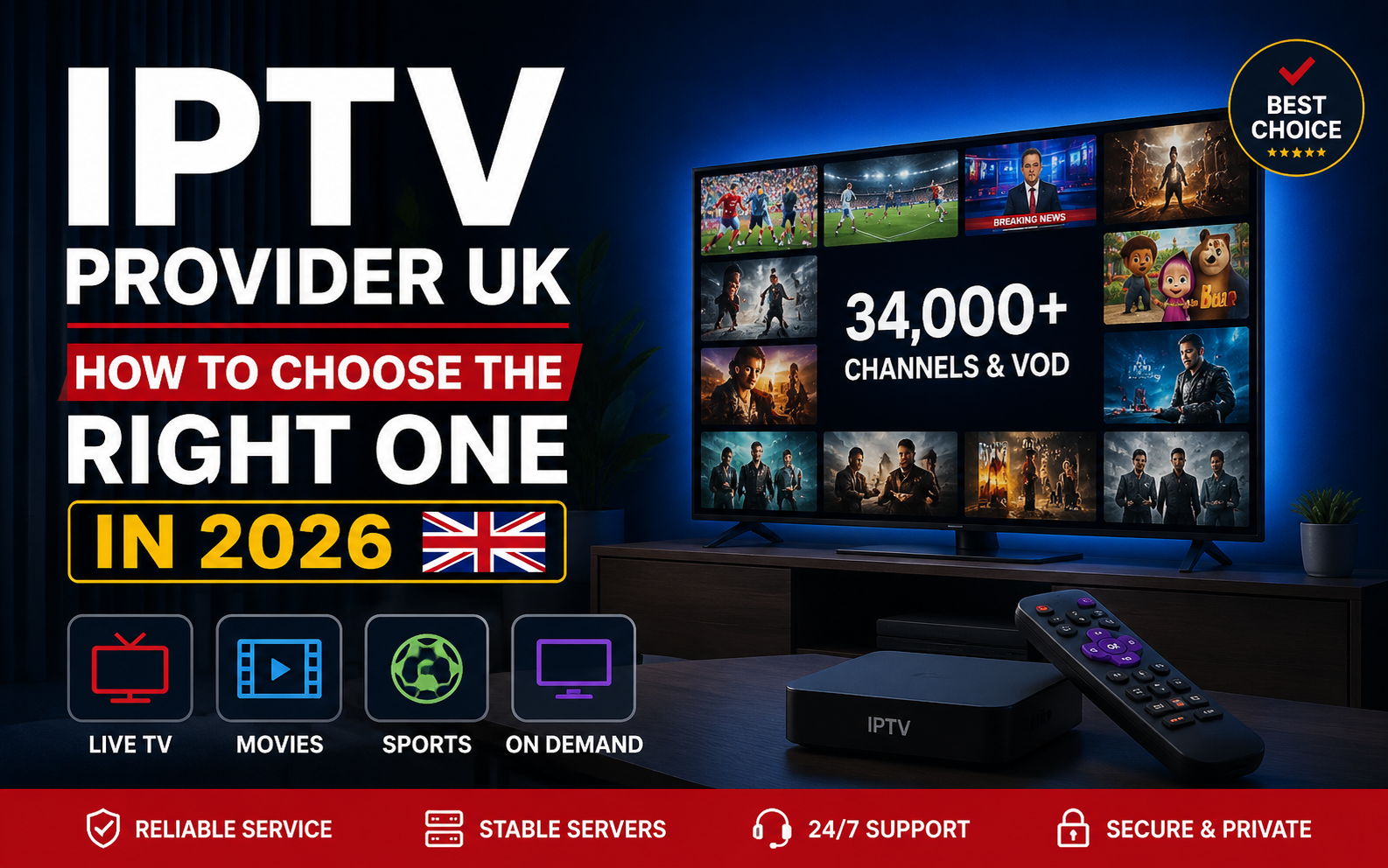
Searching for an IPTV provider in the UK right now is genuinely overwhelming, isn’t it? Type the phrase into Google and you’ll get hundreds of results, all claiming to be the biggest, the cheapest, or the most reliable. Half of them look almost identical — same stock photos, same “34,000 channels” claim, same countdown timer promising a discount that never actually expires.
And some of them will be gone in three months, taking your subscription money with them.
So how do you actually tell a good IPTV provider from one that’ll leave you buffering through the second half of a match?
That’s exactly what this guide is for. We’ll cover what an IPTV provider really does, how the technology works behind the scenes, the specific things worth checking before you hand over any money, the warning signs that should make you close the tab immediately, and how the costs genuinely compare to Sky and Virgin.
By the end, you’ll know precisely what to look for — whether you choose us or someone else entirely.
What Is an IPTV Provider, and Why Does Picking the Right One Matter?
An IPTV provider is a service that delivers live TV channels and on-demand content over your internet connection instead of through a satellite dish or cable line. No engineer visit, no dish bolted to your wall, no 18-month contract — just your existing broadband doing the work.
The technology itself is nothing new. BBC iPlayer, Sky Go and Amazon Prime Video all use the same underlying method. What’s changed in recent years is how many independent services now offer far larger channel libraries at a fraction of traditional pay-TV prices.
Here’s the catch though: because it’s relatively easy to set up an IPTV service, the market has filled with operations of wildly different quality. Some run properly maintained servers with real support teams and years of operating history. Others are one person with a reseller panel and a WhatsApp number who disappears when things break.
Both look identical from a landing page.
That’s why your choice of IPTV provider matters more than the price you pay. A cheap subscription with an unreliable service isn’t a bargain — it’s just money wasted more slowly, plus the hassle of starting the whole search over again.
How Does an IPTV Provider Actually Work?
Understanding the mechanics helps you ask better questions before you buy. Here’s what happens behind the scenes, without the jargon.
The Provider’s Servers Hold the Streams
Your IPTV provider maintains servers that carry live channel feeds and an on-demand library. Good providers use high-capacity infrastructure with load balancing, so that when thousands of people all tune into the same match at 5:30pm on a Saturday, the streams don’t collapse under the weight.
This is the single biggest difference between a well-funded service and a cheap one — and it’s invisible until peak hours arrive.
You Receive Login Credentials
After subscribing, you’re sent access details in one of two formats:
Xtream Codes API — three pieces of information: a server URL, username and password. This is the better option when available, because it automatically populates your TV guide, catch-up and on-demand library with no extra setup.
M3U Playlist URL — a single link ending in .m3u or .m3u8 that nearly every IPTV app accepts. Simple and universal, though the programme guide sometimes needs a separate XMLTV link.
A decent IPTV provider gives you both, so you’re never locked into one app.
An App on Your Device Does the Decoding
Here’s something that catches a lot of people out: your subscription and your player app are two separate things. The provider sells you access; the app is free software you install yourself.
Popular choices include IPTV Smarters Pro (works almost everywhere), TiViMate (best-in-class for Android TV and Firestick), and GSE Smart IPTV (solid on Apple devices). Any reputable provider works with all of them — if one insists you use only their own locked-down app, ask why.
The EPG Organises Everything
The Electronic Programme Guide is your TV guide — what’s on now, what’s next, and typically a 7-day schedule across every channel. It sounds like a small detail until you’re scrolling blindly through 30,000 channels with no listings.
Accurate EPG data takes real infrastructure to maintain. It’s one of the quietest but most reliable quality signals when comparing IPTV providers.
What to Look For in an IPTV Provider
After watching this market closely, the same handful of factors separate the IPTV providers UK viewers stick with from the ones they abandon after a month.
Server Stability During Peak Hours
Anyone can stream smoothly at 2pm on a Tuesday. The real test is Saturday at 5:30pm, or a Champions League night, when a large chunk of the country is watching the same thing at once.
Ask about server capacity and uptime figures — but more usefully, test it yourself during a busy evening before committing. A provider that offers a trial makes this easy. One that doesn’t is asking you to gamble.
Look for mentions of anti-freeze technology, load balancing, or CDN routing. These aren’t just marketing words; they describe genuinely different infrastructure approaches that show up in your picture quality on a Saturday night.
A Channel Lineup That Actually Covers What You Watch
Big numbers look impressive in marketing, but 30,000 channels means nothing if the 20 you actually watch aren’t among them.
Check specifically for:
- The full UK free-to-air lineup — BBC One, Two, Three, Four, CBBC, CBeebies, ITV, ITV2/3/4, Channel 4, E4, More4, Film4, Channel 5 and its variants
- Premium entertainment — Sky Atlantic, Sky Max, Sky Cinema, Gold, Dave, Comedy Central
- Sports — the complete Sky Sports family and TNT Sports, if live sport matters to you
- International channels, if your household watches content from abroad
A provider that lists actual channel names rather than just a total count is usually more confident about what they’re delivering.
Proper EPG and Catch-Up
A decent IPTV provider gives you a working TV guide with accurate listings, not a blank grid saying “No Information.”
Catch-up on major UK channels is an even stronger signal — it requires the provider to record and store content, which takes real storage infrastructure. Services offering genuine multi-day catch-up on BBC, ITV and Channel 4 are operating at a different level to those that don’t.
Real Support, Not an Ignored Inbox
When something breaks at 9pm on a Sunday, does anyone answer?
Support quality is the single most under-appreciated factor when comparing IPTV providers in the UK — and it’s consistently what people complain about most once they’ve already paid. Before subscribing, message their support with a question and see how long the reply takes. That five-minute test tells you more than any homepage claim.
Honest, Transparent Pricing
No hidden setup fees. No surprise renewal charges. A clear price for a clear period.
Watch specifically for auto-renewal. Some providers quietly store your card and bill you again automatically. A prepaid model — where your subscription simply expires unless you actively choose to renew — puts you in control. If a UK IPTV provider makes their pricing structure hard to find, that’s rarely an accident.
Device Compatibility Across the Board
Your provider should work with whatever you already own — Firestick, Samsung and LG Smart TVs, Android boxes, Apple TV, iPhone, iPad, Windows, Mac, MAG and Formuler boxes.
If a service only supports one or two platforms, you’ll hit a wall the moment you want to watch in a different room or on holiday.
A Free Trial Before You Pay
This one’s simple: a provider confident in their service will let you test it first. One that won’t offer any trial at all is telling you something important.
You can try our free trial here — 24 hours, full access, no card needed.
Red Flags — Warning Signs of a Bad IPTV Provider
Just as useful as knowing what to look for is knowing what to run from. These are the patterns that show up again and again with services that don’t last.
“Lifetime Subscription” Offers
No IPTV service can genuinely guarantee lifetime access — the running costs are ongoing, so the maths simply doesn’t work. In practice, “lifetime” means “until we shut down,” which is usually months rather than years. Treat this as an immediate red flag.
No Trial, No Refund Policy, No Terms
A provider unwilling to let you test, unwilling to publish refund terms, and vague about their terms of service is protecting themselves from you rather than standing behind their product.
Prices That Make No Commercial Sense
£2 a month for 30,000 channels in 4K isn’t a bargain — it’s a signal that the operation isn’t funding proper servers, support or maintenance. Something has to give, and it’s usually your streaming quality at exactly the moment you care most.
Support That Only Exists Before You Pay
Instant, enthusiastic replies while you’re deciding — then silence once your payment clears. Test support responsiveness before buying and note how they handle a slightly awkward question.
No Verifiable Business Presence
No contact details beyond a WhatsApp number, no company information, no consistent web presence. You’re trusting this service with a payment and your entertainment for the next twelve months — a little transparency isn’t much to ask.
Constantly Changing Domain Names
If a provider’s website address changes every few months, that instability tends to reflect the service behind it too.
IPTV Provider or IPTV Providers — Does the Wording Even Matter?
You’ll notice people search for this in every possible variation: IPTV provider, IPTV providers, IPTV providers UK, UK IPTV provider, best IPTV provider in UK. It’s the same question asked slightly differently — who should I actually trust with this?
The wording doesn’t matter. What matters is that most of those searches lead to pages that are essentially adverts dressed up as advice, with a suspiciously convenient “winner” at the top who happens to own the website.
We’d rather be straightforward with you: yes, we’re an IPTV provider, and yes, we’d like your business. But the criteria above hold true no matter who you go with. Use them. Judge us by them too — and if we don’t measure up during your trial, don’t subscribe.
The IPTV Provider We’d Actually Recommend
Since you’re here, here’s our honest pitch — measured against the exact criteria we just listed.
IPTV UK Official runs on UK-optimised servers with anti-freeze technology and 99.9% uptime, built specifically around British viewing habits rather than a generic worldwide service with UK channels bolted on afterwards.
What you get:
- 30,000+ live channels including the complete UK lineup and every Sky Sports and TNT Sports channel
- 150,000+ movies and series on demand, updated weekly
- Full EPG with catch-up on major UK channels
- 4K, Full HD and HD streaming across Firestick, Smart TV, Android, iOS, Windows, Mac, MAG and Formuler
- All PPV events included at no extra cost
- Xtream Codes and M3U support, so you can use any player app you like
- 24/7 human support that actually replies
- One-time payments with no auto-billing, ever
Plans start at £12.99, and the 12-month option works out at roughly £4.16 a month.
Is that the best IPTV provider for everyone? Probably not — nothing is. If you want a traditional set-top box with a physical remote and a fully managed service for someone who isn’t comfortable with apps, satellite TV still does that better. But if you want more channels, more flexibility and a dramatically smaller bill, we’re a genuinely strong option. Want more on service quality? See our IPTV service guide.
The fairest way to judge is to test it yourself. Have a look at the plans or start with the free trial.
Best IPTV Provider for Sports Fans (Premier League and Sky Sports)
If you’re mainly here for football, sport is where IPTV makes the most obvious financial sense.
A Sky bundle with Sports and Cinema runs around £75 a month on an 18-month contract. That’s roughly £900 a year. And when a big boxing PPV lands, that’s another £24.95 on top.
With a good IPTV provider, all of it is included:
- Every Sky Sports channel — Main Event, Premier League, Football, Cricket, Golf, F1, Arena and Action
- The full TNT Sports lineup
- All 380 Premier League fixtures per season
- Champions League, Europa League, FA Cup, EFL Championship
- La Liga, Serie A, Bundesliga
- England cricket including The Ashes, Six Nations rugby, Wimbledon
- UFC, major boxing cards, MotoGP, Formula 1 race weekends
- PPV events at no extra charge
One practical tip for sports viewing specifically: use a wired Ethernet connection rather than Wi-Fi. Live sport is the least forgiving content for an unstable connection — buffering during a build-up to a goal is genuinely infuriating in a way that a paused film isn’t. A cable removes most of those problems before they start.
Our installation guide covers setup for every device, including the Ethernet adapter options for Firestick.
How Fast Does Your Internet Need to Be?
This trips up more people than provider choice does, and it’s easy to check before you buy.
| Streaming Quality | Recommended Speed |
| SD | 5 Mbps |
| HD (720p) | 10 Mbps |
| Full HD (1080p) | 25 Mbps |
| 4K Ultra HD | 50 Mbps |
A few things worth knowing:
Wi-Fi is the usual culprit, not the provider. Walls, distance from the router, and neighbouring networks all introduce the momentary packet loss that shows up on screen as buffering. If you can run an Ethernet cable, do it — it eliminates an entire category of problems.
Peak-hour speeds matter more than headline speeds. Your broadband might advertise 100 Mbps but deliver considerably less at 8pm. Run a speed test during a busy evening rather than mid-morning to get a realistic picture.
Multiple simultaneous streams add up. If two people are watching different channels, you need enough bandwidth for both.
IPTV vs Sky vs Virgin Media vs Freeview — Honest Comparison
Here’s how the options genuinely stack up in 2026.
| IPTV | Sky | Virgin Media | Freeview | |
| Typical annual cost | £50 – £75 | £700 – £900+ | £600 – £850+ | Free |
| Contract | None | 18 months | 18 months | None |
| Channels | 30,000+ | ~300 curated | ~230 curated | ~70 |
| Sky Sports & TNT | Included | Paid add-on | Paid add-on | No |
| PPV events | Included | £24.95 each | £24.95 each | No |
| Hardware needed | Device you own | Sky box + dish | Virgin box + cable | Aerial + TV |
| Setup | Under 10 mins | Engineer visit | Engineer visit | Plug in |
| On-demand library | 150,000+ titles | Extensive | Extensive | Limited |
To be fair to the traditional providers: Sky and Virgin offer polished interfaces, dedicated hardware, established customer service infrastructure, and full content licensing. If you value a physical remote, a managed service, and don’t mind the cost, they remain solid choices — particularly for households where someone isn’t confident with apps.
Freeview is genuinely great value at free, but the channel selection is limited and there’s essentially no live premium sport.
IPTV wins decisively on cost, channel volume, contract flexibility, and the fact that it works on hardware you already own. The trade-off is that you’re managing it yourself, and quality depends heavily on choosing a well-run provider — which brings us back to everything above.
What Should an IPTV Provider Cost in the UK?
Prices across the market vary more than they should, so here’s a realistic guide based on what UK services typically charge.
| Subscription Length | Typical UK Market Range | IPTV UK Official |
| 1 Month | £10 – £20 | £12.99 |
| 3 Months | £23 – £39 | £24.99 |
| 6 Months | £35 – £64 | £34.99 |
| 12 Months | £49 – £110 | £49.99 |
Be cautious at both extremes. A service charging £3 a month almost certainly can’t fund proper servers or support — you’ll find out why within a fortnight. Equally, paying £100+ for a year doesn’t guarantee anything better than a well-run mid-priced service; you’re often just paying for heavier marketing.
Longer plans genuinely cost less per month, which is standard across the industry — but only commit to twelve months once a trial has confirmed the service works properly in your home, on your connection, during your usual viewing hours.
Compare any of these figures with roughly £900 a year for an equivalent Sky bundle, and the gap speaks for itself. Full pricing is here if you want the detail.
Which Device Should You Use?
Your choice of hardware affects the experience nearly as much as your choice of provider.
Amazon Firestick — the most popular option in UK homes by a wide margin. Cheap, small, works with every major IPTV app, and pairs excellently with TiViMate. If you’re buying something specifically for IPTV, this is the default recommendation.
Android TV boxes (Nvidia Shield, Formuler) — more powerful, usually with built-in Ethernet ports, and the smoothest experience available if you want the best possible setup. Costs more than a Firestick.
Samsung and LG Smart TVs — convenient because there’s no extra hardware, but the apps available on Tizen and webOS are noticeably slower and more limited than Android-based options. Channel switching takes several seconds rather than one or two.
Apple TV, iPhone, iPad — reliable and well-supported, though TiViMate isn’t available on iOS. GSE Smart IPTV and IPTV Smarters Pro both work well.
Windows and Mac — perfectly workable for desk viewing, with the widest choice of player software.
MAG and Formuler boxes — portal-based devices that authenticate by MAC address. Popular with long-time IPTV users, though newer buyers usually find a Firestick simpler and cheaper.
Step-by-step setup for all of these is in our installation guide.
Common Mistakes People Make When Choosing an IPTV Provider
Most bad experiences trace back to one of these.
Choosing purely on price. The cheapest option almost always costs more overall, once you’ve paid twice and switched providers mid-season.
Skipping the trial. A trial costs you nothing but ten minutes. Subscribing blind costs you a year if you get it wrong.
Testing only at quiet times. A service that’s flawless at 11am can fall apart at 8pm. Always test during peak hours before committing.
Ignoring support quality. People evaluate channels and price carefully, then never check whether anyone answers when something breaks — which is the thing they’ll actually need most.
Blaming the provider for Wi-Fi problems. A significant share of buffering complaints are network issues at home. Test on Ethernet before concluding the service is at fault.
Committing to twelve months immediately. Start with one month if you’re uncertain. The savings on a longer plan aren’t worth being locked into a service you dislike.
How to Make Sure Your IPTV Provider Is Legal
This question comes up constantly, and it deserves a clear answer rather than a dodge.
IPTV technology is entirely legal. BBC iPlayer, Sky Go and Amazon Prime all use it. The legal considerations relate to the licensing of the content being streamed, not the delivery method itself.
What that means in practice: legality depends on whether the provider holds proper rights and permissions for the content they distribute. We’d always encourage viewers to choose services that operate within applicable UK law and content licensing rules — and to be wary of any provider that’s evasive when asked directly about it.
A few sensible signals of a legitimate operation:
- Transparent business and contact details
- Clear published terms of service and refund policy
- An actual, responsive support presence
- Honest communication about what the service does and doesn’t include
- No absurd claims like lifetime access
Providers that hide all of that are usually hiding it for a reason.
What to Expect After You Subscribe
Knowing the normal sequence helps you spot when something’s genuinely wrong versus just unfamiliar.
Within minutes: Your login credentials arrive by email or WhatsApp — username, password, server URL, and usually an M3U link too, along with setup instructions.
First 10 minutes: You install a player app on your device, enter the credentials, and your channel list loads. On a Firestick this typically takes 5–8 minutes end to end; Smart TVs and MAG boxes take a little longer.
First hour: Worth setting up your favourites so you’re not scrolling through thousands of channels each evening, and checking that your EPG has populated properly.
First evening: This is the real test. Watch during peak hours, flick between a few channels, and see how it handles. If there are problems, this is when you’ll find them — and when a trial or money-back guarantee actually matters.
Ongoing: A well-run provider updates its VOD library weekly and keeps EPG data accurate without you needing to do anything.
FAQ — IPTV Provider UK Questions Answered
Q1: What is an IPTV provider?
An IPTV provider is a service that delivers live TV channels and on-demand content over your broadband connection rather than through a satellite dish or cable. You receive login details, add them to an IPTV app on your device, and stream.
Q2: How do I choose the right IPTV provider in the UK?
Check server stability during peak evening hours, whether the channel lineup covers what you actually watch, EPG and catch-up quality, support responsiveness, and pricing transparency. Ideally, test with a free trial before paying anything.
Q3: Are all IPTV providers in the UK the same?
Far from it. Some run properly maintained infrastructure with real support teams; others are single-person reseller operations that disappear when problems arise. The differences show up fastest during peak hours and when you need help.
Q4: Is using an IPTV provider legal in the UK?
IPTV technology is legal — mainstream services like BBC iPlayer use it. Legality depends on whether the specific provider holds proper rights for the content they distribute, so choose services that operate within applicable law.
Q5: How much does a UK IPTV provider cost?
Most reasonable UK services fall between £12 and £55 depending on subscription length. Anything drastically cheaper usually reflects underfunded infrastructure. Our plans run from £12.99 for one month to £49.99 for twelve.
Q6: Can I test an IPTV provider before paying?
Yes, and you should. Any provider confident in their service will offer one. Ours is a full 24-hour trial with complete access and no card details required.
Q7: What devices work with an IPTV provider?
Amazon Firestick, Samsung and LG Smart TVs, Android TV boxes, Apple devices, Windows PCs, Macs, MAG boxes and Formuler boxes — essentially anything that runs an IPTV player app.
Q8: Do I need a VPN with a UK IPTV provider?
Not necessarily. Some services are IP-locked and require one; ours isn’t. A VPN can still help if your broadband provider throttles streaming traffic during peak evening hours.
Q9: Which IPTV provider is best for Premier League football?
Look for one carrying the complete Sky Sports and TNT Sports lineups with all 380 Premier League fixtures included as standard rather than as a paid add-on. Peak-hour server stability matters enormously here.
Q10: What happens if my IPTV provider stops working?
With a properly run service, support diagnoses and fixes it — usually within minutes. This is exactly why support quality deserves more weight than it typically gets when people compare providers.
Q11: Can I switch IPTV providers easily?
Yes. Your subscription and your player app are separate things, so switching usually just means entering new credentials into the same app you already use.
Q12: How quickly can I start watching after signing up?
With automated delivery, minutes. Your login details arrive by email or WhatsApp, you enter them into your app, and your channel list loads. Most setups take under ten minutes end to end.
Q13: What internet speed do I need for an IPTV provider?
Around 10 Mbps for HD, 25 Mbps for Full HD, and 50 Mbps for 4K. Test your speed during peak evening hours rather than mid-morning for a realistic figure.
Q14: What’s the difference between Xtream Codes and M3U?
Xtream Codes uses a server URL, username and password, and automatically loads your EPG, catch-up and on-demand library. M3U is a single playlist link that works almost everywhere but sometimes needs a separate EPG link. Choose Xtream Codes when your app supports it.
Q15: Why is my IPTV buffering if my internet is fast?
Usually Wi-Fi rather than raw speed. Walls, router distance and network congestion cause the packet loss that appears as buffering. Switching to a wired Ethernet connection resolves the majority of cases.
Q16: Is the biggest IPTV provider always the best one?
No. Size tells you about marketing budget, not server quality or support responsiveness. Some of the largest-advertising services have the worst peak-hour performance, and some smaller, well-run providers outperform them consistently.
Q17: Do IPTV providers offer catch-up TV?
Better ones do, typically covering major UK channels for several days. It requires real storage infrastructure, which is why it’s a useful quality signal when comparing services.
Q18: Can I use one subscription on more than one device?
You can usually install it on several devices, but how many can stream simultaneously depends on the connections included in your plan. Check this before buying if multiple people watch at once.
Q19: Are “lifetime” IPTV subscriptions genuine?
No. The running costs of an IPTV service are ongoing, so lifetime access isn’t commercially possible. In practice it means access until that provider shuts down — treat it as a warning sign.
Q20: What should I do before committing to a 12-month plan?
Run a trial during peak evening hours on the device and connection you’ll actually use. If it’s stable then, a longer plan is a sensible saving. If it isn’t, you’ve just saved yourself a year of frustration.
H2: Ready to Stop Searching and Start Watching?
You now know what separates a decent IPTV provider from a forgettable one — server stability when it counts, a lineup that covers what you actually watch, a working TV guide, real support, transparent pricing, and no ridiculous lifetime promises.
We think we tick those boxes. But you don’t have to take our word for it.
Start your free 24-hour trial — no card, no commitment — or browse the subscription plans if you already know what you’re after.
Either way, test it during a busy evening. That’s when you’ll learn everything you need to know.